

#
Job Information
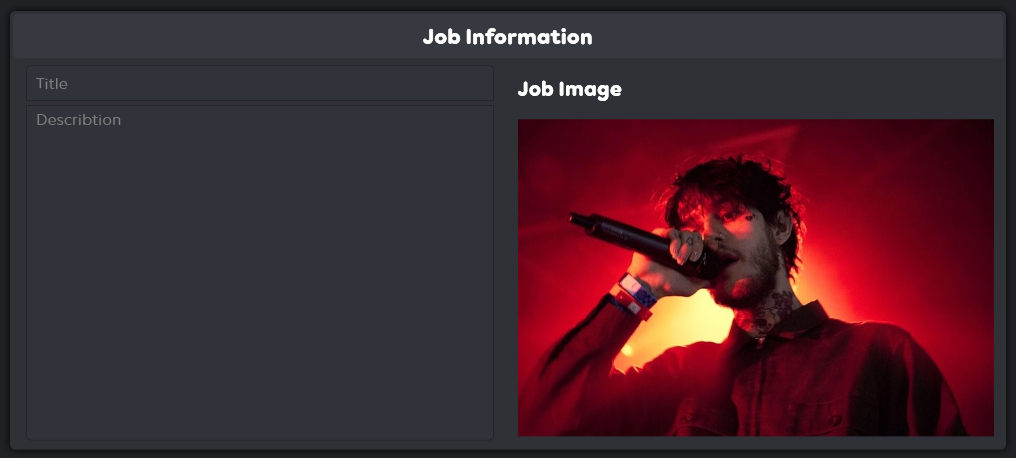
The Job Information section allows you to fine-tune the details that describe your job:
#
Title
Textbox
Edit the job title to make it appealing to players.
Json
nm
Global
Global_4718592.f_117598
#
Description
Textbox
Customize the job's description, providing players with a clear understanding of what your job offers.
Json
nm
Global
Global_4718592.f_117620
#
Job Image
This option primarily displays the job image. However, it also includes the ability to export the image for editing and import it again to upload custom or edited images.
How it Works
The Change Image function converts the selected Image into jpeg format. Then it makes an AOB scan for pattern : 48 8D 0D ? ? ? ? 44 8A C3 BA ? ? ? ? E8 ? ? ? ? 84 C0 75 07 BB ? ? ? ? EB 06 with Function GTA.getIMGPointer and calculates the final address with + 0x18.
It then writes subtracts 0x4 from the calculated address and writes the size of the image into that address.
Then all bytes from the image gets written into memory.
// Function GTA.getIMGPointer
public static IntPtr getIMGPointer()
{
    ulong addy = MainWindow.m.AOBScanModule2(GTA.Offsets.Editor.AOB_img_ptr, MainWindow.m.getMainModule());
    return (IntPtr)(MainWindow.m.rip(IntPtr.Add((IntPtr)addy, 3)).ToInt64() - (long)MainWindow.m.getBaseAddress());
}

// Change Image Code Snippet
List<byte> temp = ImageSourceToBytes(new JpegBitmapEncoder(), new BitmapImage(new Uri(ofd.FileName))).ToList();

long offset = GTA.Offsets.Editor.Image.img;
long addy = m.memory((m.memory(GTA.getIMGPointer().ToInt64()).GetAddress() + 0x18)).Get<long>() + offset;

byte[] temparray = temp.ToArray();

m.memory((addy - 0x4).ToString("X")).SetInt(temparray.Count());

m.memory(addy.ToString("X")).SetBytes(temparray);